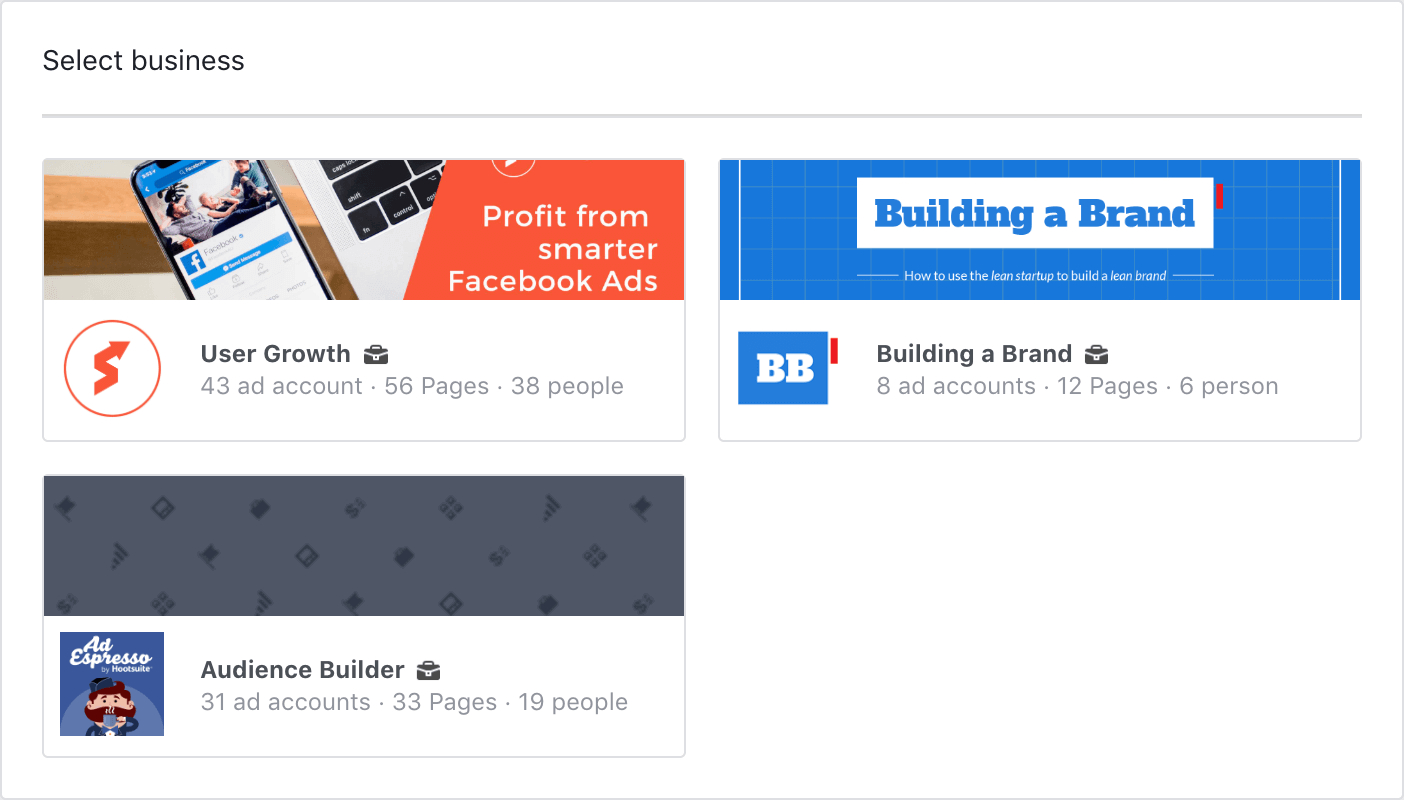
#1 Head over to Facebook™ Business Manager
Go to Facebook™ Business Manager and select your appropriate account
Go to Facebook™ Business Manager and select your appropriate account
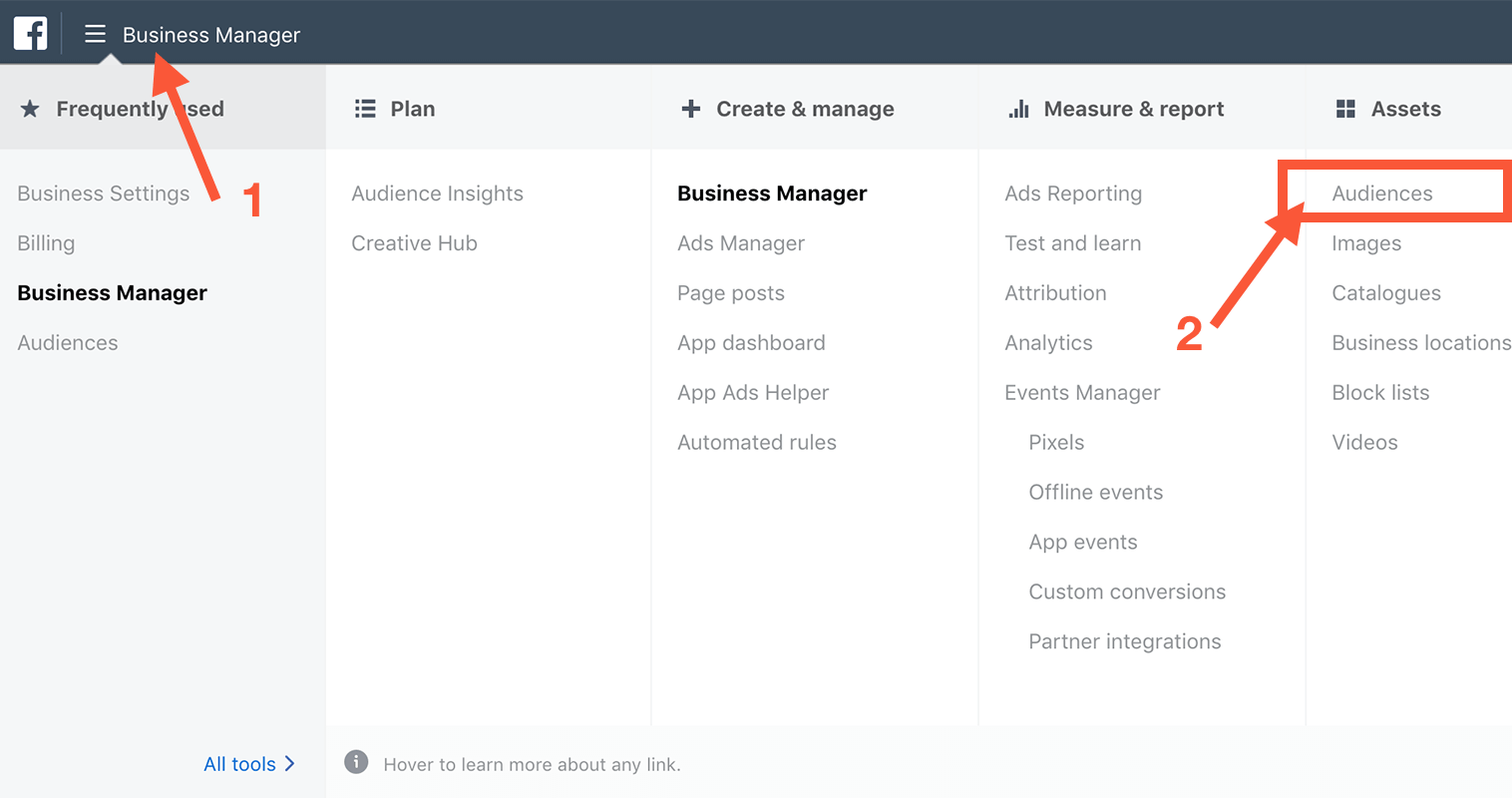
Step 1: Click on Business Manager in the top left corner.
Step 2: From the menu that opens up, choose Audiences under the assets menu.
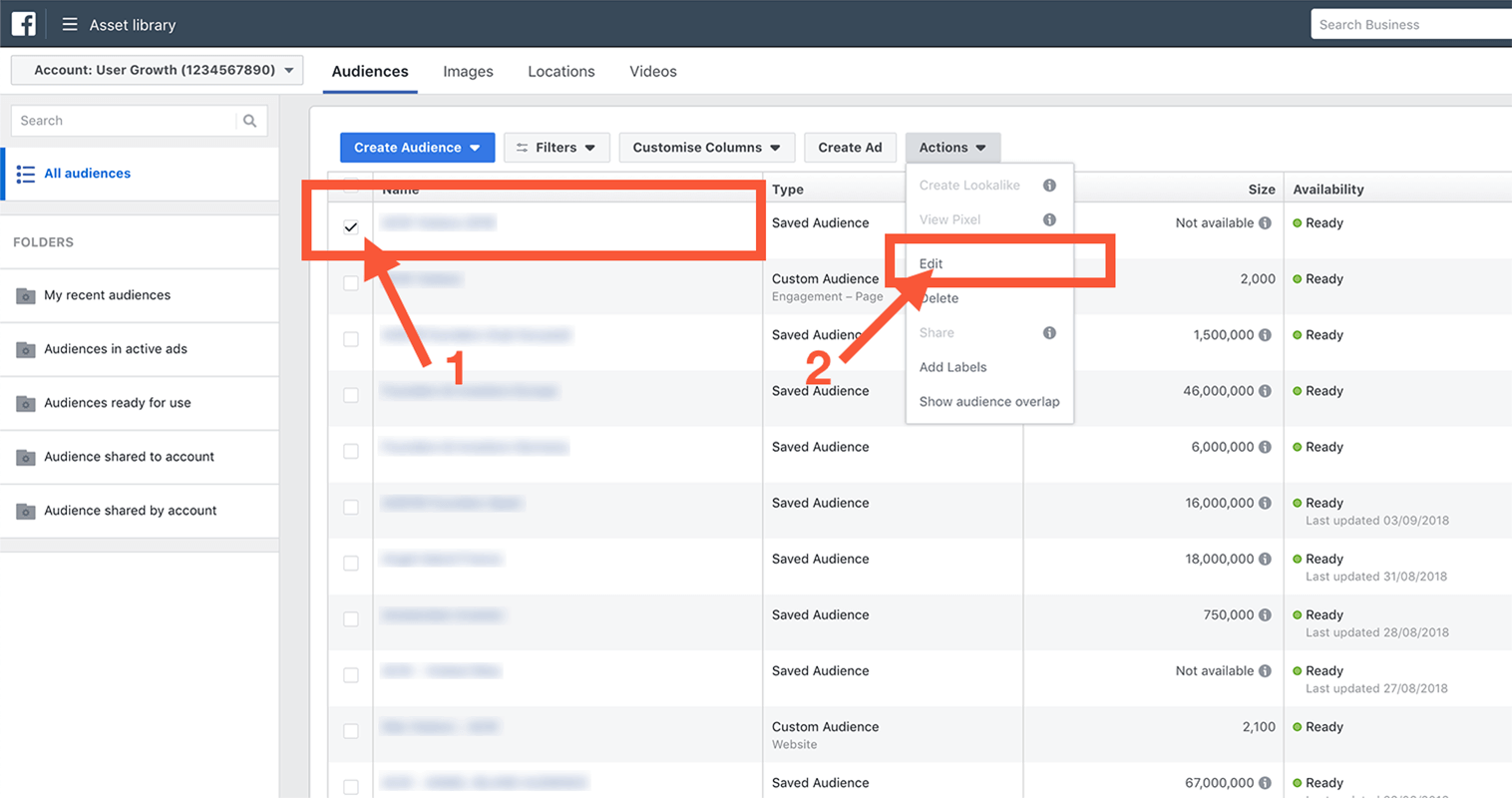
Step 1: Select an existing audience
Step 2: From the "Actions" menu, click on edit
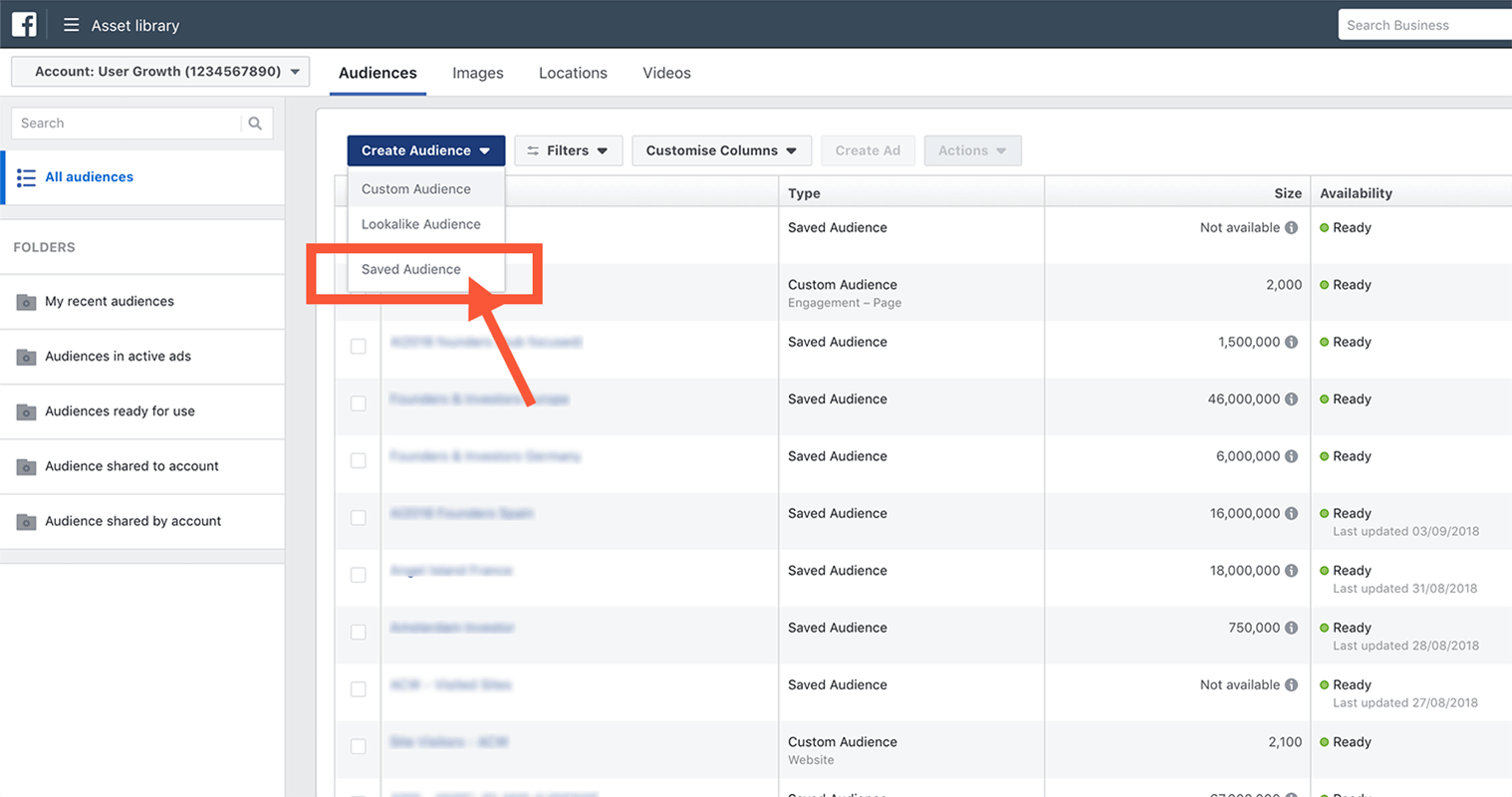
If you go to "Create Audience" you can choose "Saved Audience" from the dropdown menu to create a new audience from scratch
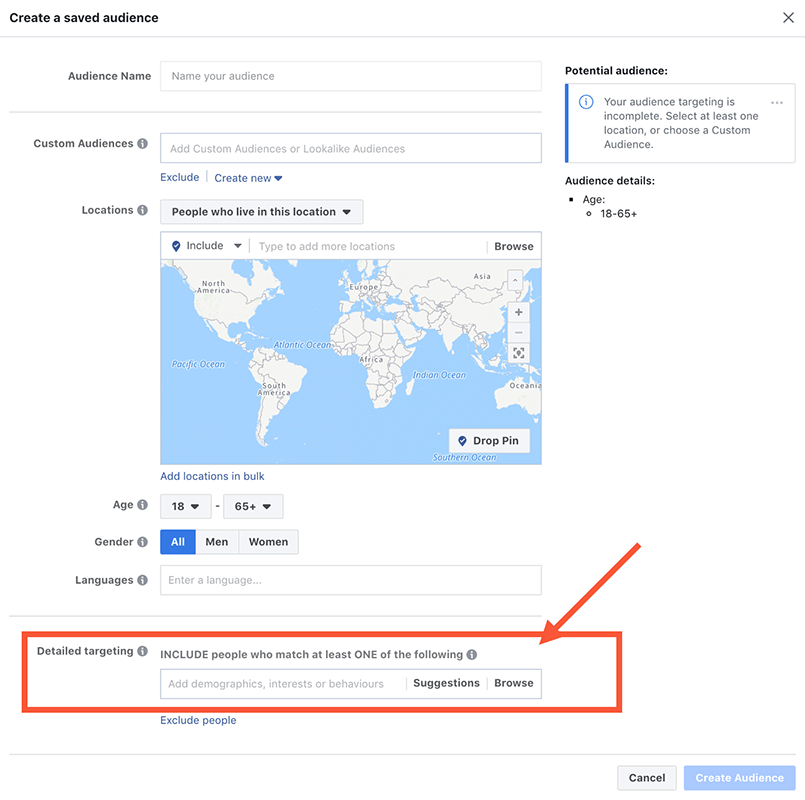
Paste your created selection into the "Detailed targeting" input field, don't forget to fill in the rest of the fields like location, age and gender and you're off to the races 🐎
👋